Log anything, fast
Breakfast, lunch, dinner, or the 11 pm snack.
For iPhone & iPad
Download the app and start logging your meals in seconds. No account, no ads. Just a simple food diary that syncs across your devices and keeps your data private.
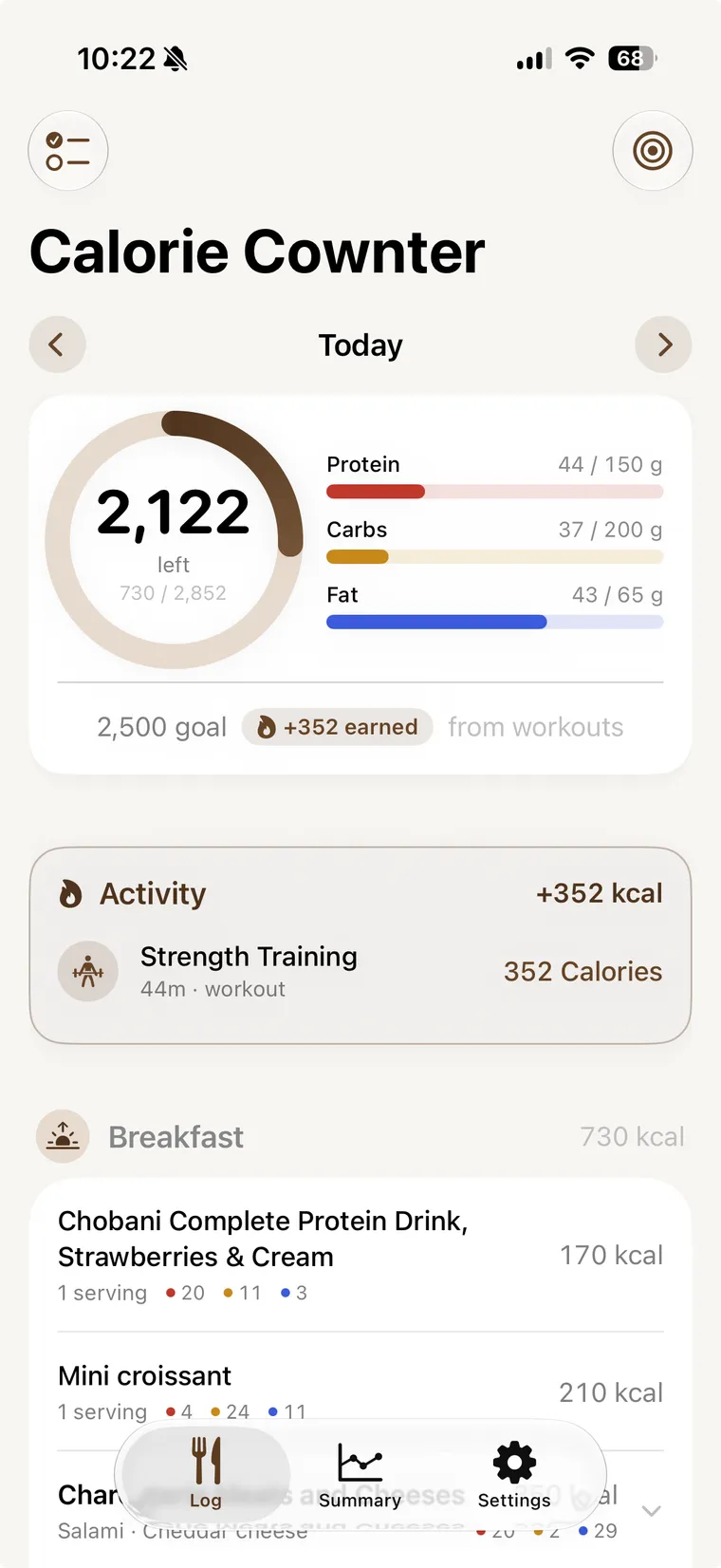
What you get
Breakfast, lunch, dinner, or the 11 pm snack.
Point your camera at a package, or search a database of over a million foods.
Photograph your plate or just describe it, our AI will figure out the calories and macros for you. Three free scans a day, no account needed.
Calorie Cownter Pro raises your daily AI limits.Workouts and daily movement raise your calorie budget, and the app shows exactly where the extra came from. Your Health data never leaves your phone.
Calories left, right on your Home Screen and Lock Screen. Most days you won't need to open the app at all.
Save favorites and re-log the meals you eat all the time. Recent foods are right there too.
A look inside
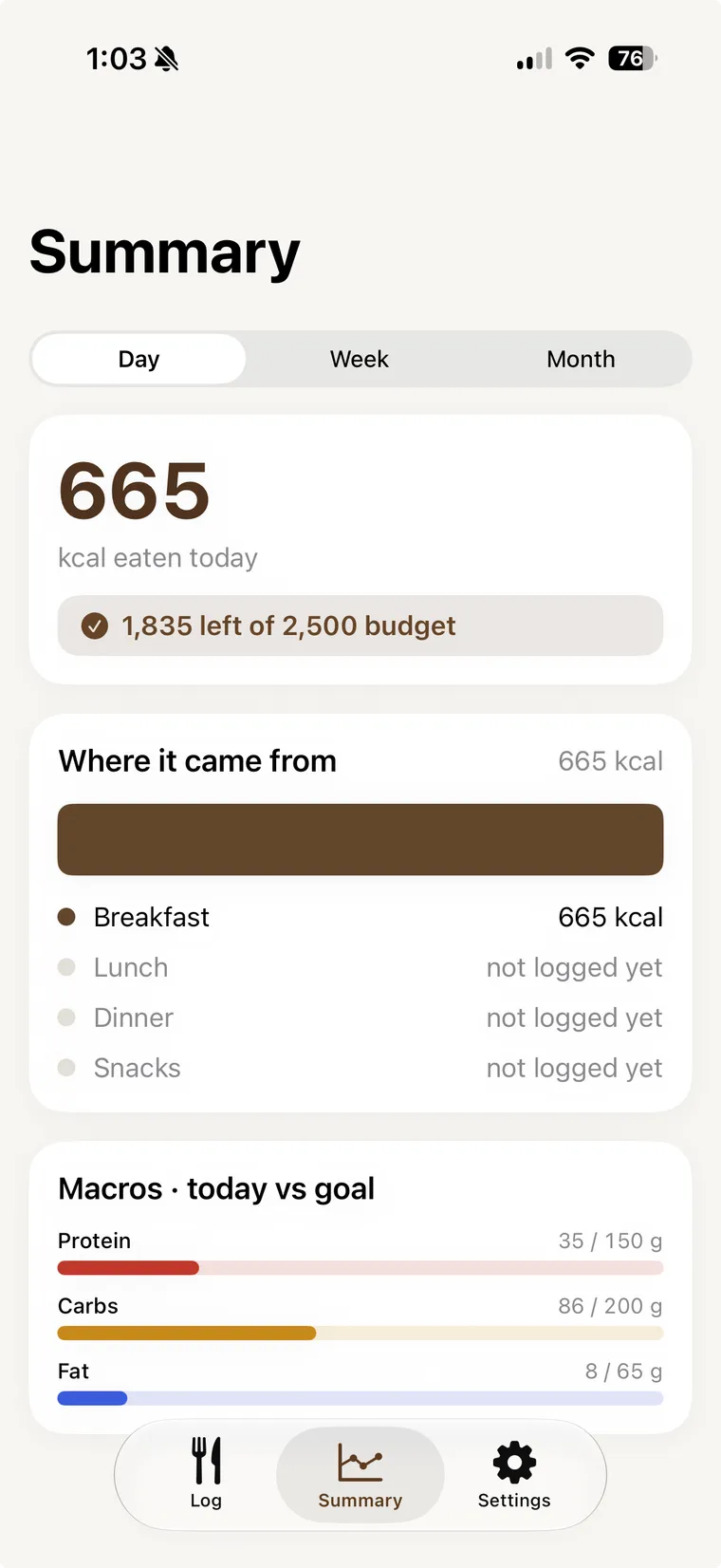
Day · 1 of 3
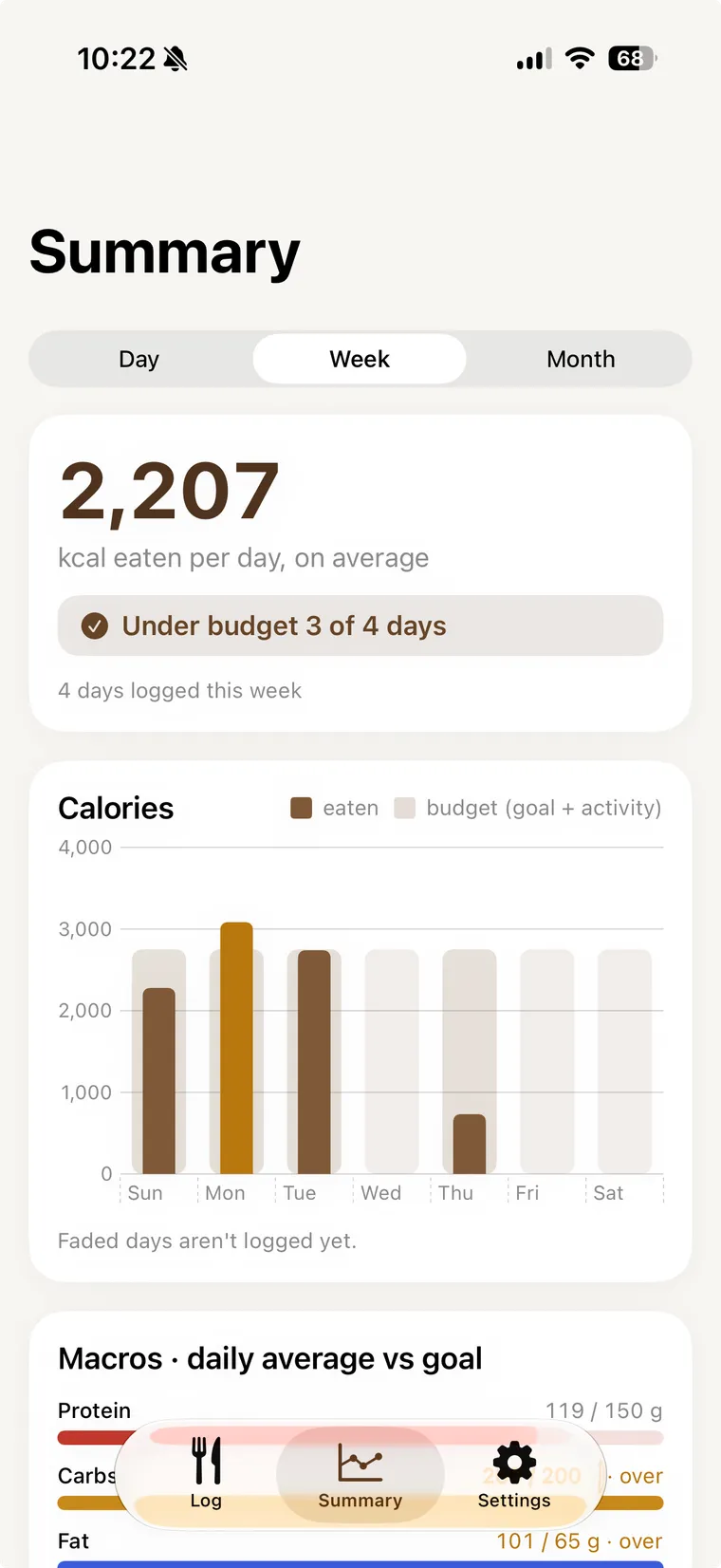
Week · 2 of 3
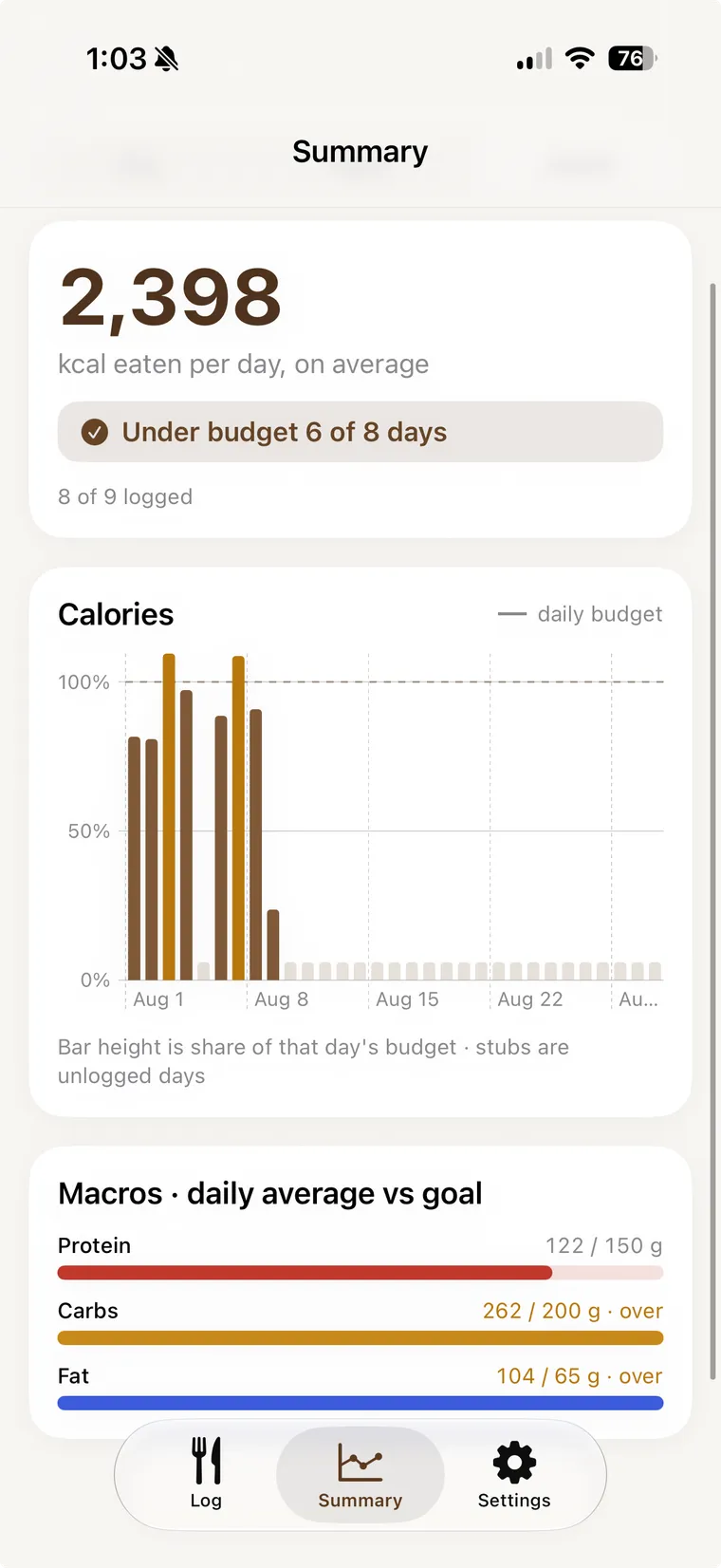
Month · 3 of 3
See your tracked calories and macros at a glance, with options to view your day, week, or month. The app shows you how your activity from Apple Health has raised your budget, and how your macros compare to your goals.
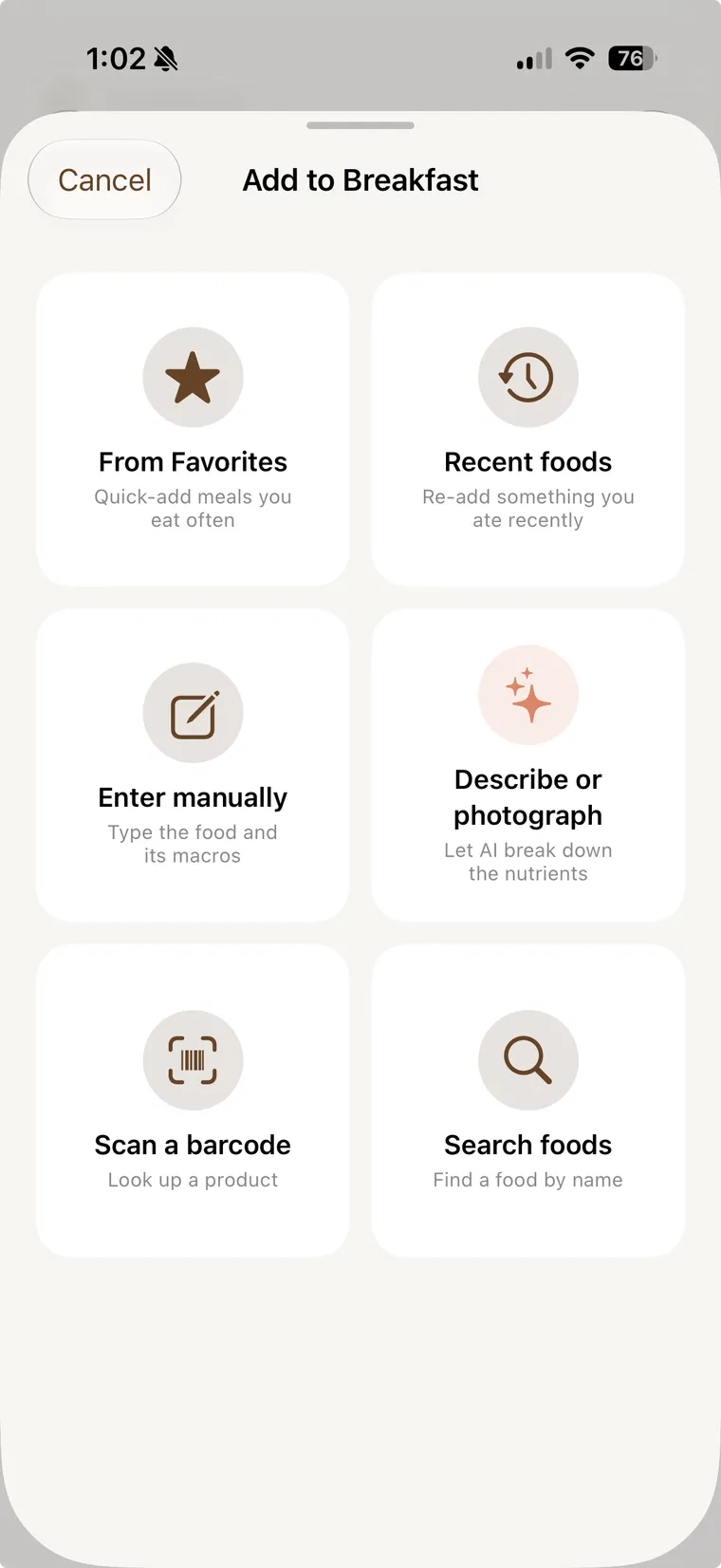
Six ways in · 1 of 2
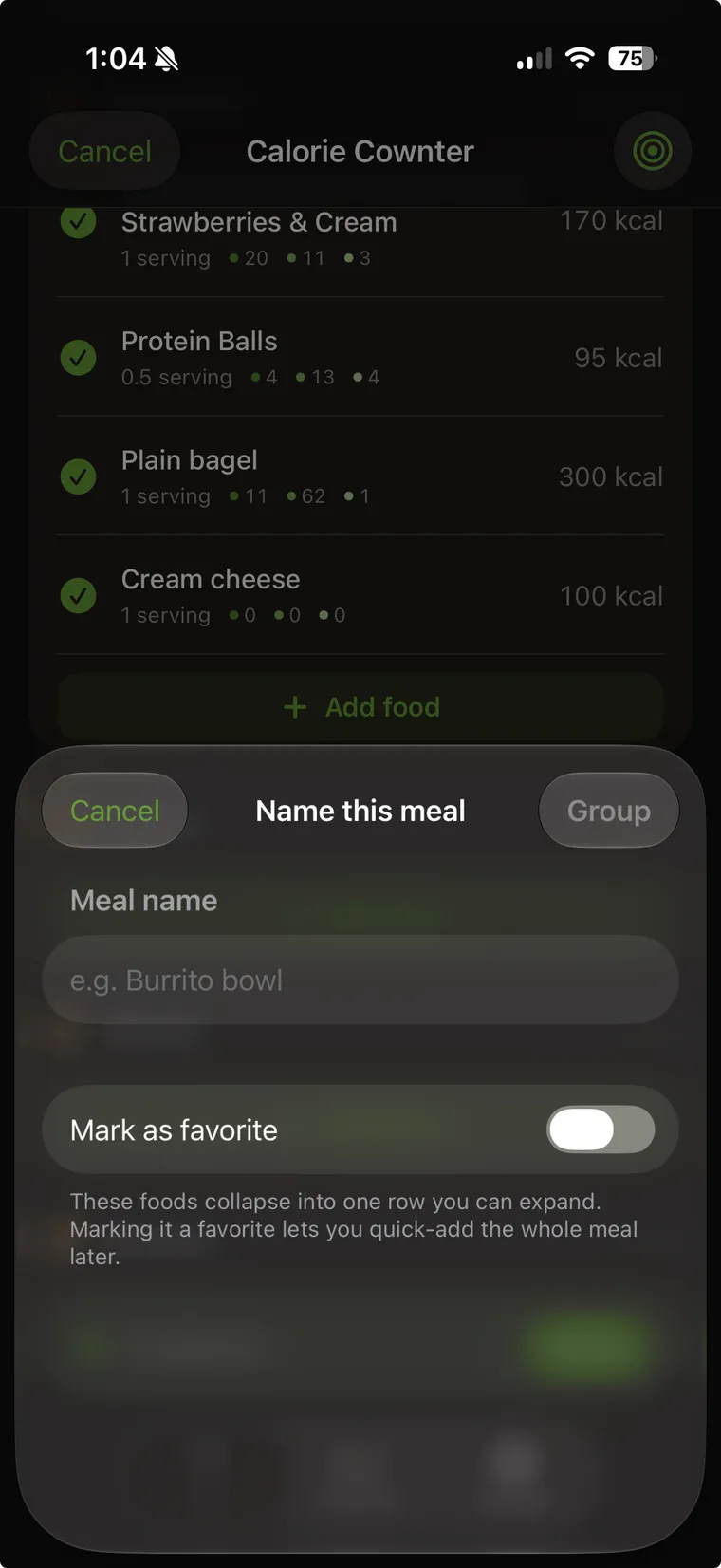
Name a meal · 2 of 2
Every way in sits on one screen. Pick a favorite, re-add something you ate recently, scan a barcode, search by name, type it yourself, or let AI read a photo. Eat the same four things together every morning? Group them into one named meal and add the whole thing next time.
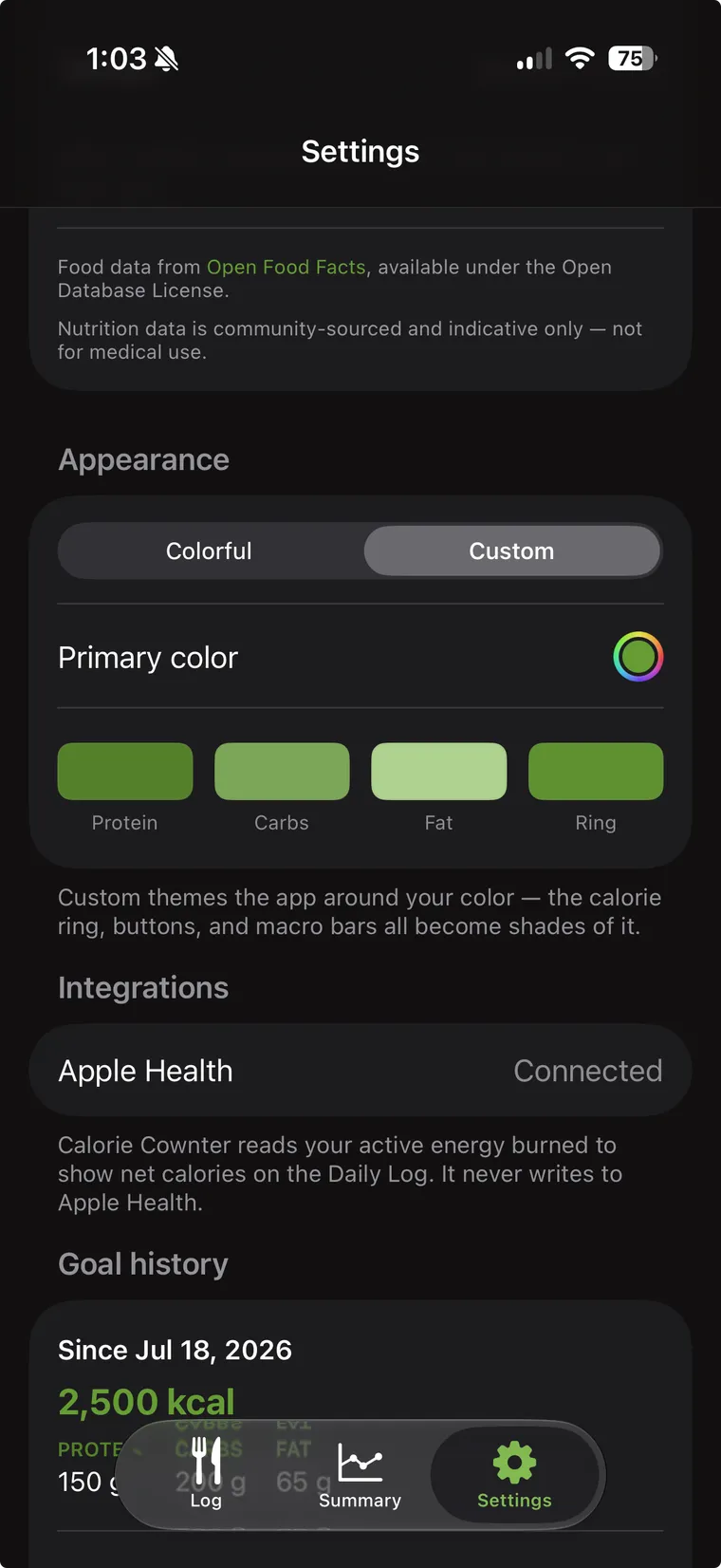
Pick a color · 1 of 2
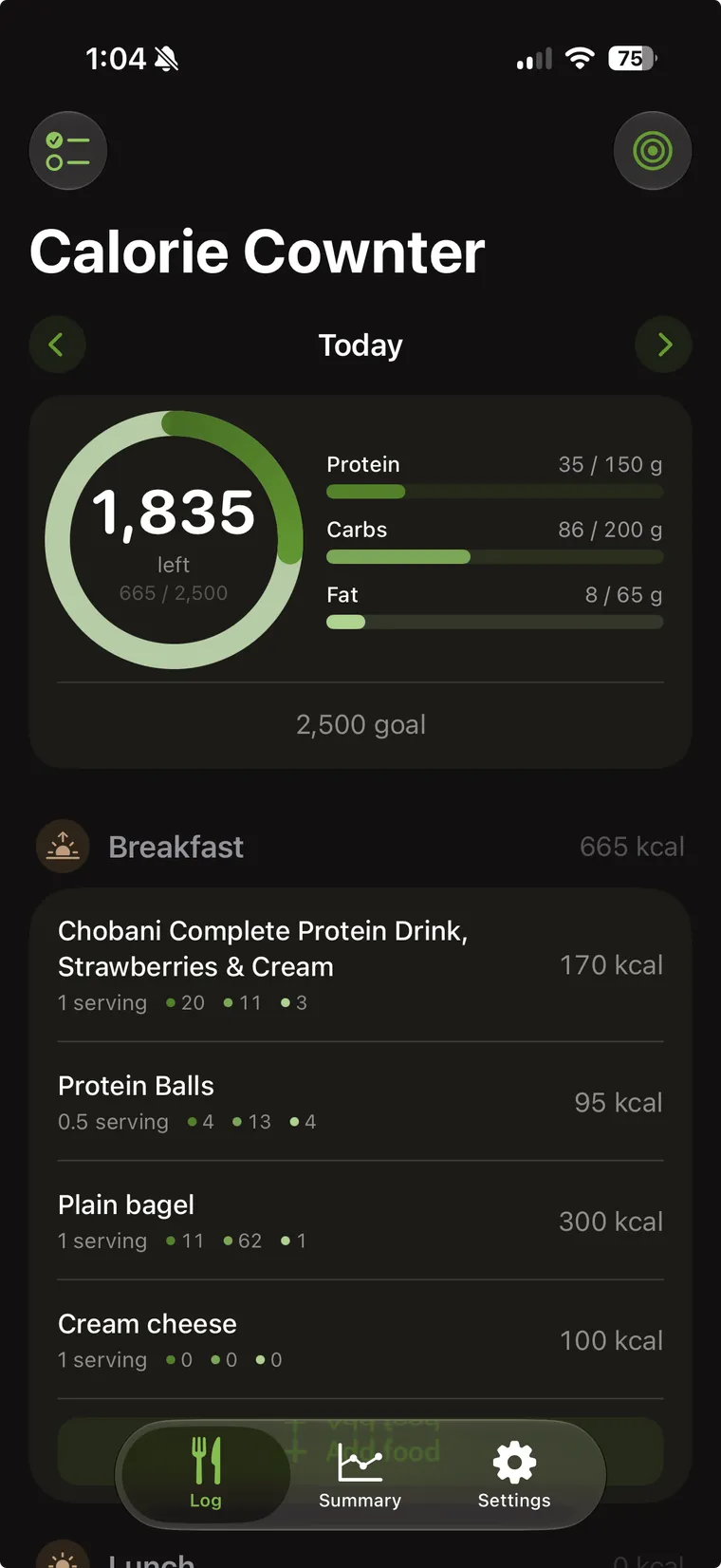
The whole app follows · 2 of 2
Settings has a Colorful preset, or you can choose your own primary color. The calorie ring, the buttons, and the macro bars all become shades of it. Dark mode is there too, and it looks good in both.
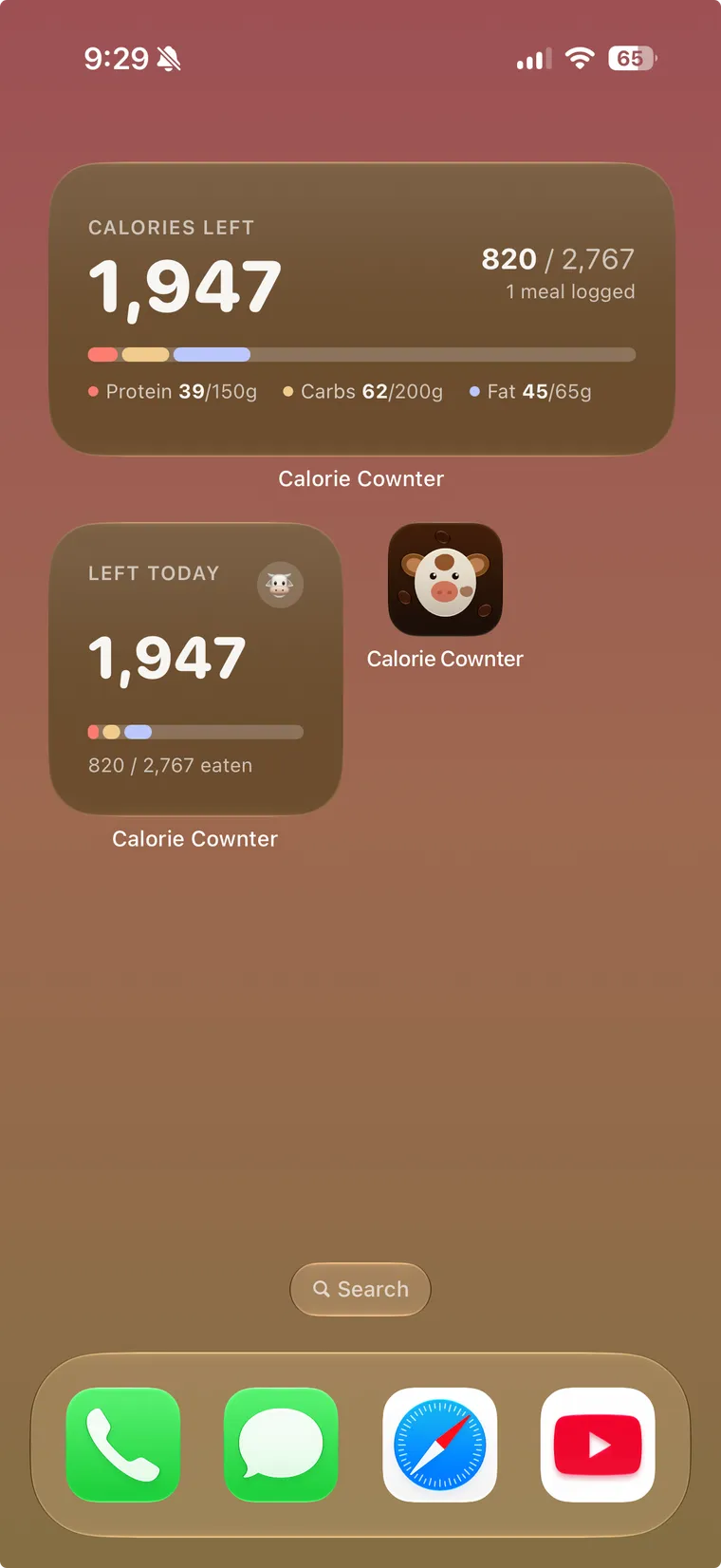
Put the number where you'll actually see it. The small widget is just calories left; the medium one spells out your macros.
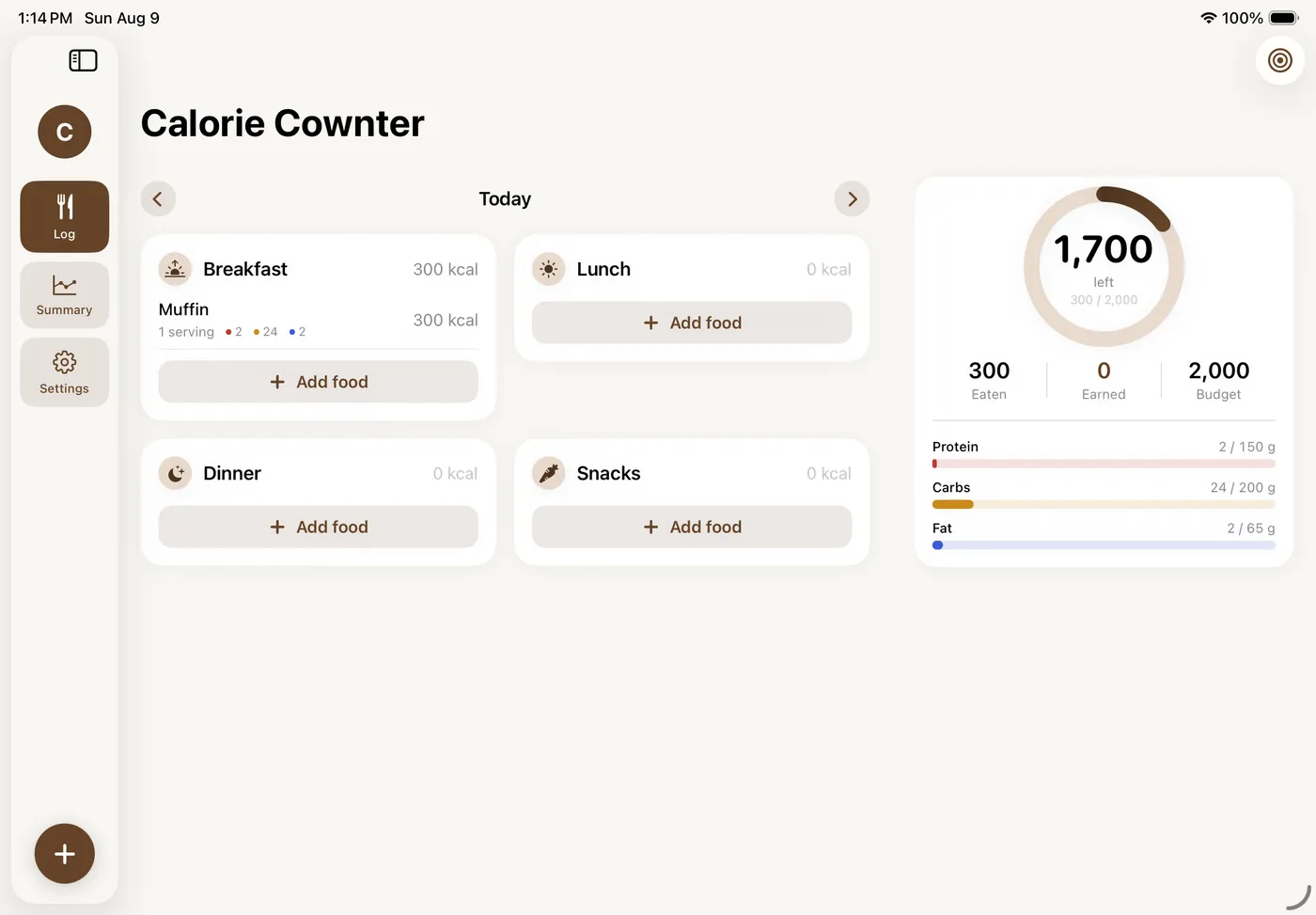
On iPad your meals sit in a grid with the day's totals pinned next to them, and the tab bar becomes a side rail. Same diary, same iCloud, just more room to work with.
Private by design
Calorie Cownter is built to keep your data private. Your diary lives in your iCloud, and your Health data never leaves your phone. We don't store or sell anything. Our goal is to make a great app, not to make money off your data.
Meals, goals, and favorites live in your private iCloud database. It's on your devices, not ours.
Activity is read on-device to work out your budget. Those numbers are never sent anywhere.
A photo is analyzed to estimate nutrition and then thrown away. We don't keep it.
No advertising, no tracking SDKs in the app, nothing sold to anyone. This website counts page views with cookieless analytics that can't identify you.
How it works
FAQ
Mostly, yes. Logging, barcode scanning, widgets, and Apple Health are all free, with no ads. AI logging — photo scans and typed descriptions — is free 3 times a day. Calorie Cownter Pro raises your daily AI limits.. As AI continous to develop, the costs to operate will decrease, and we may adjust the Pro plan accordingly to save you money.
No — there is no account and no sign-in at all, not even for the AI features. Open the app and start logging.
In your own iCloud, synced privately across your devices. We can't see your food diary, and Apple Health values never leave your phone.
A photo is analyzed to estimate nutrition, then discarded. We don't store it.
Yes — iPad gets a layout built for the bigger screen, not a stretched phone app. Everything syncs through your iCloud, so your diary is the same on both.
Unfortunately, no, and there aren't any current plans for one. Calorie Cownter leans hard on Apple-only things, such as iCloud sync, Apple Health, and widgets. In the future though, once the iOS app is at a stable place, we may explore an Android version.